Friday, December 11, 2015

What's Going On? December 14-18th

Hour of Code

Thank you to all of the students that participated in last week's Hour of Code event.  As I write this blog post, over 166 million students from 180+ countries participated in this worldwide Hour of Code event.  If you were not able to join us or you would like to find out more about computer programming, you can check out the code.org website or the Hour of Code website that I used for our event.


Fundamentals of Programming

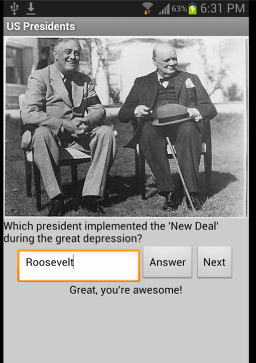
This week students will be working with lists and images in order to create the "Presidential Quiz" app.  Students will learn how to work through items in a list and to incorporate a timing element into the app.  By the end of the week, students will have created the basic app and added some customized elements to it.


Programming the Web 1


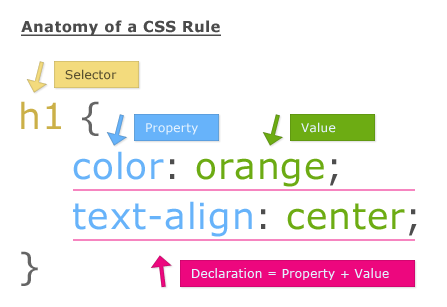
This week students will be working on lesson 12.  For this week, we will focus on how to format
images for a website using tools in Photoshop.  We will also focus on creating a layout.  Students will have the lesson 12 reading guide, the lesson 12 review questions, and web assignment 12A to complete for the week.  We are winding down in the semester and we only have one more formal lesson week for the course.  Soon students will be working on their final web page assignments which will be due during the last week of the semester.  


Programming the Web 2

This week students will dive into JavaScript.  Students will learn how to add an interactive piece to their web pages.  One of the first assignments we will work on for the week involves creating a web page for a restaurant that will automatically show the daily specials.  We will also work on a "Countdown" web page that will automatically calculate and display the number of days until winter break.


Tuesday, November 24, 2015

What's Going On? November 30-December 4th

Fundamentals of Programming

Image result for app inventor no texting while drivingStudents have been working on their creative projects using animation.  This project will continue into this week and should wrap up by the end of class on Tuesday.  After this time, students will then move onto our next unit.  We will talk about lists and how to create permanent data storage so that we don't have to recreate data each time we open the app.  Students will then work on the "No Texting While Driving" app that would automatically read text message aloud and send a message back letting the person know that they will text them back later because they are driving.


Programming the Web 1

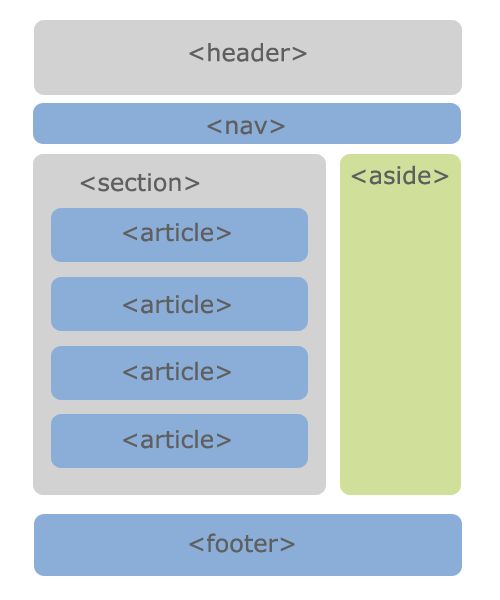
This week students will finish up with our tenth unit.  Students were able to learn about the different types of layouts that can be used to set up a website.  We have created a bunch of templates that students might choose to expand upon once it is time to work on our final project.

Students should have the lesson 10 reading guide completed by the beginning of class on Wednesday. We will also complete our lesson review questions during class this day.  On Monday students will work on completing assignment 10A, where student use floats to arrange their web page.  On Wednesday we will complete assignment 10B as a class and talk about how layouts can be created using negative margins.  Students are considered "on pace" if they have completed the lesson 10 assignments by the end of class on Wednesday.

During class on Thursday and Friday, students will begin work on lesson 11 where we will learn about some additional CSS techniques.

Programming the Web 2

This week Web 2 students should complete their form formative assignment where we create a form that could be used for a neonatal study at a hospital.  It is very important that students successfully complete this assignment so that we are ready to add an interactive piece with JavaScript once we move into our next unit.  Students should aim to have this assignment completed by the end of class on Wednesday.

Once this formative assignment is complete, students will work on creating a simple form (with table alignment) to include with their portfolio page.  Students will wrap up with our CSS unit by Friday.

Friday, November 20, 2015

What's Going On? November 23 and 24th


Thanksgiving Week
This is just a reminder that we have a shortened week this week.  Since we will only be in school on Monday and Tuesday of this week we will be running a "Monday" style schedule on both days.

Fundamentals of Programming
This week students will be working on their "creative projects" for animation. Students have the opportunity to work on their own or with a partner to create a project that uses several of the animation components we have discussed so far.  So far some of the students have been creating some amazing apps: from Thomas' agar.io app, to Bill's treasure hunting app, to Ben and Mike's "breakout"-style game students have been busy creating some nice animations.  Students will have both class days this week to continue work on the creative project.

Programming the Web 1
This week we will start our study of lesson 10.  This week we will talk about different ways to set up a website including using a fixed width layout and a liquid layout. We will talk about the advantages of different layout styles and we will try to create some templates.  During this lesson students will be introduced to negative margins.  Students will need to read chapter 16 in the textbook, complete our reading guide, our weekly lesson review questions and web assignments 10A and 10B.  Since this is a short week, we will continue will this lesson after we return from Thanksgiving break.

Programming the Web 2

This week students will continue their work on their formative assessment form for the St. Mary's Neonatal page.  Once this form is complete, students will work on a form to include within the online portfolio site.

Friday, November 13, 2015

What's Going On? November 16-20th

Fundamentals of Programming

At the end of last week students completed a summative assessment on some of the basic properties of animation.  Based on the results of the assessments, students will be broken up into a couple of groups.  Students who have shown understanding of the basic concepts will be moving on to complete our "Animation Creative Project". Students who are struggling with some of the underlying concepts will be participating in some different activities to help fill in the gaps in our understanding.  Once students have shown understanding of the basic concepts, they will move onto the creative project.


Programming the Web 1

Students complete their midterm multiple choice exam and project last week.  At the beginning of the week students will receive the results of the assessment.  Students who are struggling with some of the underlying concepts need to make sure to get their questions answered as we will continue to build on the basic concepts learned so far during the first half of the semester.

This week we will move on to lesson 9 where students will learn more about floating and positioning elements.  Basically, we are going to learn how to place objects in specific places.  Students will have our reading guide, our lesson review questions and web assignments 9A, 9B, 9C, and 9D to complete over the course of the week.  The four web assignments are all tutorial assignments directed in the textbook.  Students are considered "on pace" if the lesson 9 materials have been uploaded to Google Drive by the end of the week.


Programming the Web 2

The Web 2 class was on a bit of a hiatus last week due to the absence of half of the students due to the band field trip.  Hopefully everyone will be in class and ready to proceed this week.  On Tuesday of this week we will continue to to work on our form assignment.  Students will investigate more about radio button, text areas, and the different buttons that can be added to the page.  We will also talk about ways to format the form so that our input boxes are lined up nicely on the screen.  We will achieve this through the use of tables.  Students will use the features built into DreamWeaver to help us code this structure.

Friday, November 6, 2015

What's Going On? November 9-13th

Fundamentals of Programming

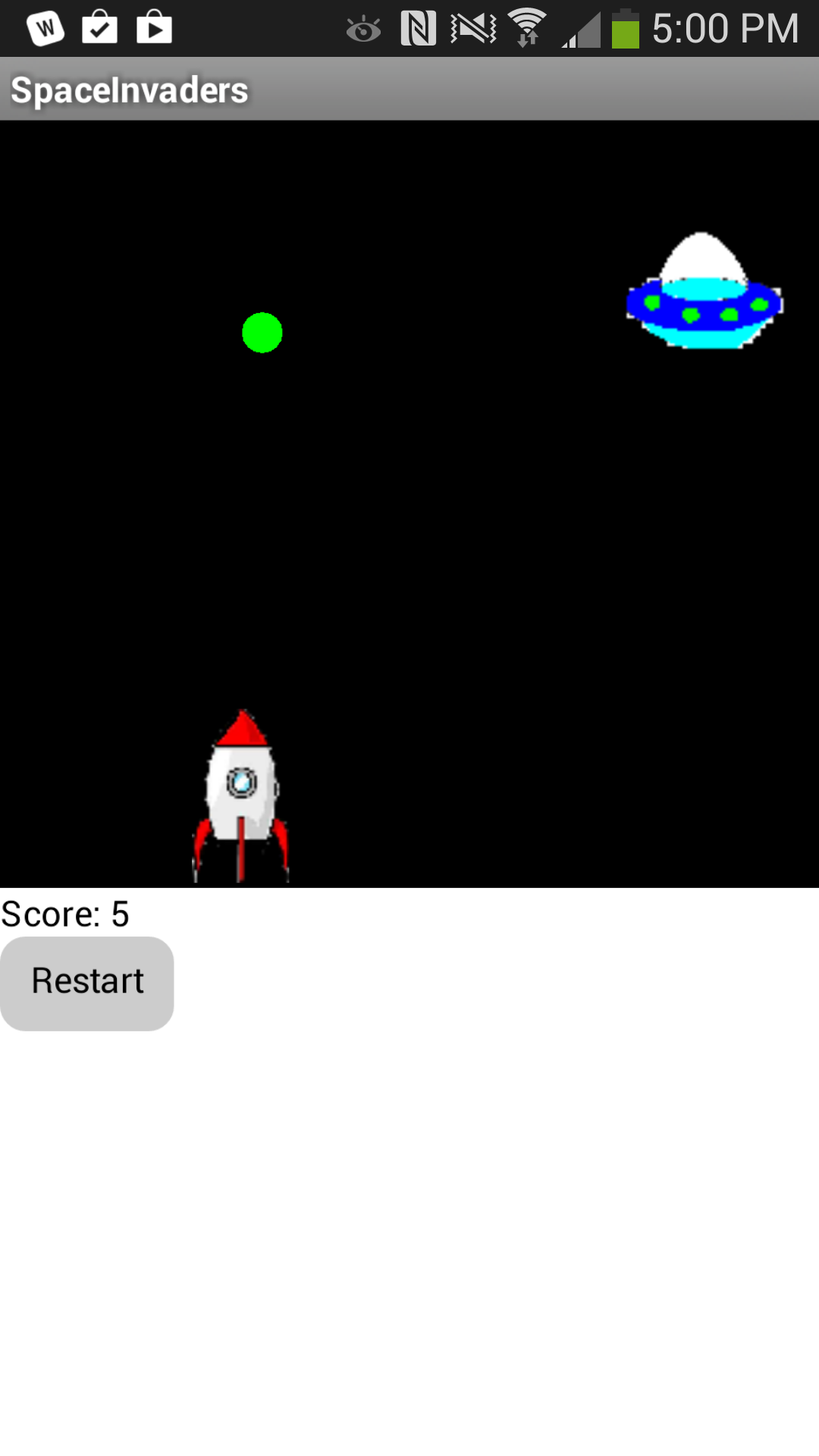
This week students will be finishing up our "Pong" app. Once this is complete, we will review some of the underlying principles that allow the app to function. Students will demonstrate their knowledge of the important programming concepts with a short formative assessment.  Then, students will have the opportunity to get their creative juices flowing with our second "creative project". Students have will design and create an app with the following components:

  • objects that move over time (e.g., a spaceship flying across the screen)
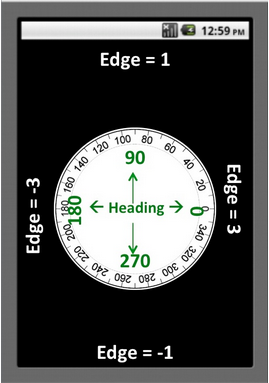
  • objects who move or are transformed in reaction to end-user activities (e.g., OrientationSensor to control movement)
  • objects that (dis-)appear in reaction to end-user activities (e.g., an asteroid disappearing when shot)
  • use of conditional (if) blocks
  • use of collidedWith and edgeReached blocks


Programming the Web 1

Students will have the entire week to complete our WCTC midterm exam and project. On Wednesday, students will complete a 20 question multiple choice assessment based on the review questions that we have seen throughout the semester so far. This assessment will not be open-book and open-note. However, students have access to the list of all questions we have seen in the student handout posted on our BlackBoard class website.  

In addition to the multiple choice assessment, students will be creating a website based off of several photos. Students will be given the final look of the site and will need to duplicate the look.  The website will consist of four web pages. Students will be provided with the text and photos, the main objective is to demonstrate how HTML and CSS work together to create a final layout.  The midterm project must be uploaded to Google Drive by the end of class on Friday.


Programming the Web 2

The portfolio home page and image gallery have taken a little longer than anticipated to complete, so this week we will finally move on to our form assignment. Students will create a short survey to try out the different elements that can be included in a form.


Wednesday, October 28, 2015

What's Going On? November 2nd-6th

Fundamentals of Programming


This week in Fundamentals we'll be working on finishing up our pong app and adding it to our portfolio site.  We will do a formative check to see if we understand the basic principles behind our app.  We want to make sure we understand how the canvas, the ball, the timer, and image sprites all work together in order to get ready for our second "Creative Project".  For this project, students will have the opportunity to design their own app using the principles of animation.  More details about the project will be coming soon!


Programming the Web 1

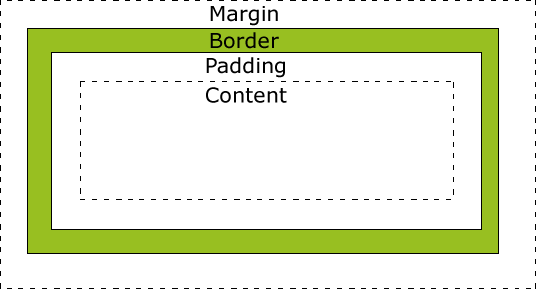
This will be the final week leading up to our midterm exam.  This week we'll be taking care of lesson 8 where students will learn about the "box model" and how to add space around the elements in our web page.  This week we'll read chapter 14 in our textbook, take the lesson 8 review question assessment, and complete project 8A.  Students need to be caught up with everything through lesson 8 by the end of the week in order to be ready for our midterm exam.


Programming the Web 2

This week students will be working with "form" elements in order to create a more interactive part to our portfolio page.  Students will create a sample form formative assessment to practice all of the elements.  We will then embed a form into our portfolio website by the end of the week.

Friday, October 16, 2015

What's Going On? October 19th-23rd

Fundamentals of Programming

Last week we were working on their "Android Mash" apps which is similar to "whack-a-mole".  Students have been doing a great job creating a customizing their apps.  Students need to make sure that they are answering the reflection questions and are posting them to their portfolio sites.  I want to make sure that students understand the underlying computer science principles that allow our apps to function.  If we truly understand the underlying concepts, students will be able to create much more robust and interesting apps when it comes time to design and implement their own ideas.

This week we will check in with a formative assessment to gauge our current level of understanding of the basic programming principles running behind the scenes of our apps.  We will look at control statements (if..else), events (clicking a button), and time.  Once we make sure that we have a solid foundation, we will turn our focus to animation and complete some challenge problems.


Programming the Web 1

This week students will be finishing up lesson 6 where we started to focus on adding style to our pages with CSS.  Students should have their lesson 6 reading guides completed by Monday's class.  We will take the lesson review question assessment during class on Wednesday.  Please keep in mind that these questions are open book, open note, and open internet.  The questions are posted and I encourage you to plan your answers before you get to the assessment.  We should be seeing perfect scores!  If you don't know the answer to a question, PLEASE ASK!  I can help point you in the right direction.

Students are considered "on pace" for the class if they have completed lesson 6 by the end of class on Wednesday.  This includes the reading guide, lesson review questions, and projects 6A, 6B, and 6C.  Please make sure that you are keeping up with the work as our midterm project is coming up soon!  We will complete the midterm after lesson 8.  If you need some additional time in the lab, please let me know.


Programming the Web 2

Last week students learned how to add a "button click" feature to links.  Students were considered "on pace" in this class if they have uploaded our portfolio home page, completed the "button click" web assignment 2 formative assessment, and added this feature to their portfolio site.

This week we will explore how to create an image gallery.  Students will then add a page to their portfolio that highlights this new skill.