Thought for the Week
Friday, January 5, 2024
What's Going On? January 8th through January 12th
Friday, December 22, 2023
What's Going On? January 2nd through January 5th
Thought for the Week
different screens in our app. Once this is complete, we will take some time to examine classes and structs. These tool allow us to create a template for an object and then reuse the code to make multiple instances of the objects.
variety of physical games. Now, it will be their job to code one of them! Students will have this week to write the code for the game and the following week to write their responses. Now that we have a better understanding of what the AP board is looking for, we can craft our responses to best convey our understanding of complex computer processes.
Friday, December 15, 2023
What's Going On? December 18th through December 22nd
what the AP board would expect from our responses. We will spend Monday's class analyzing some projects that have been submitted by other students on the AP board. We will look closely at rubrics to decide how to best phrase our answers to fully answer all of the prompts that may be presented by the AP board. Once we have a better grasp of what the AP board is looking for, students will have a chance to take a second look at their responses and make any necessary modifications to best answer the questions. At the end of the week, students will start our next summative project. Students will be tasked with creating a program where the user can play a card game. Students may choose their game from Go Fish, Black Jack, Poker, Old Maid, Uno, and more.
Friday, December 8, 2023
What's Going On? December 11th through 15th
Thought for the Week
App Development
We will start off this week by working on our "Event Coding Challenge". Within this challenge, studentswill write code that will trigger when items are tapped, pressed, and submitted. Once this is complete, students will work on our summative end-of-unit app challenge called "Tip Calculator". In this app, students will create a project that is designed to be used when dining out. The user can enter in the total cost of the bill, select a tip percentage, and calculate the amount to be left for the server. Additionally, students can extend the app to split the check among several people.
Looking to do more with Apps? Consider checking out the Swift Student Challenge. You can find details about the contest here.
AP Computer Science Principles
This week, students will wrap up their "Buzz-Feed" style personality quizzes. Students have been tasked with writing code in small groups that uses arrays, variables, functions, selection statements, and loops. This project is aligned with our official AP Create task that students will work on in February to submit to the AP board as part of the AP exam score.
Friday, December 1, 2023
What's Going On? December 4th through December 8th
Thought for the Week
App Development
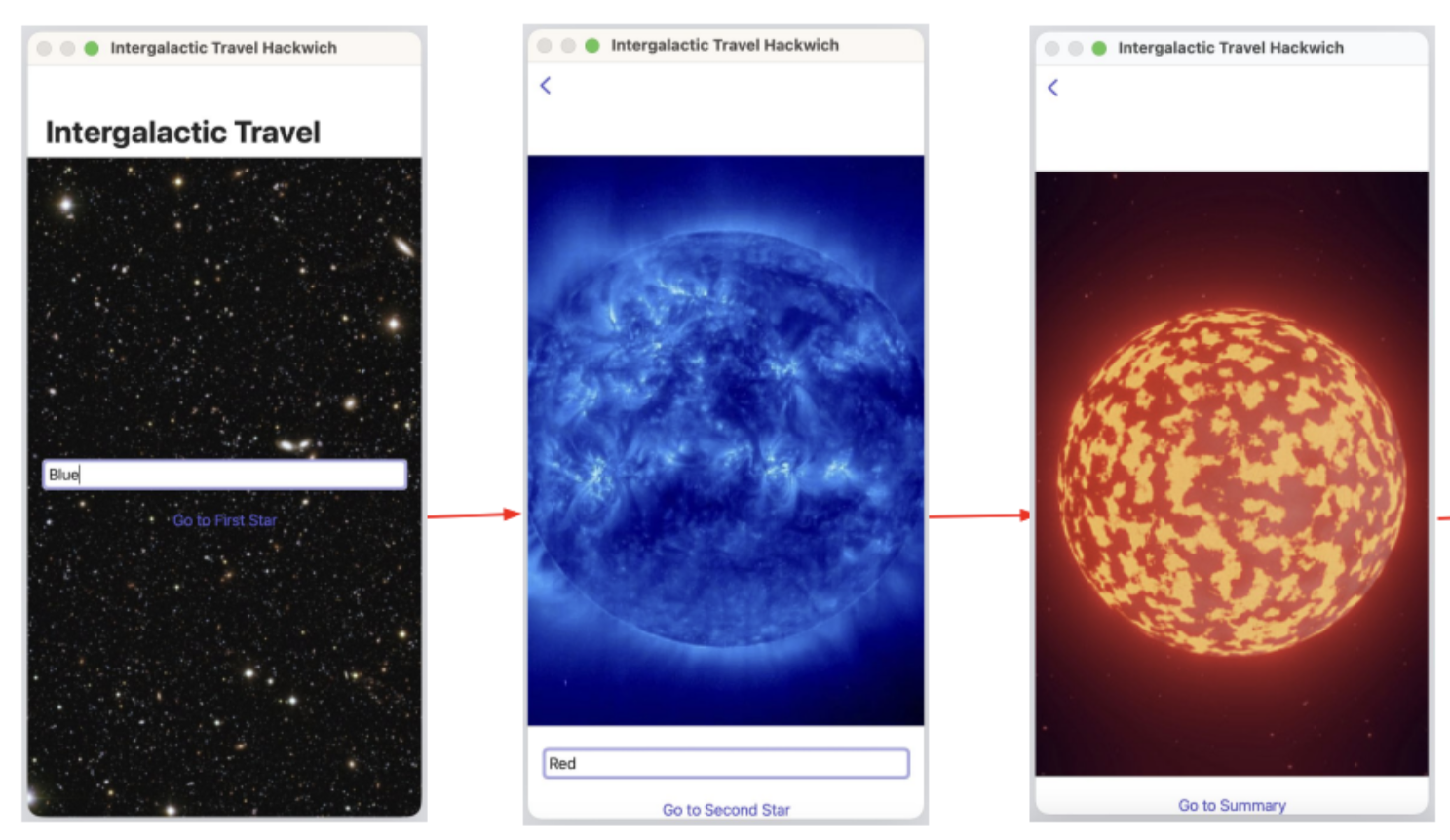
This week, we will discover how we can create Views, SubViews, and Navigation. Students will learn about how each screen is made up of views. We have been working within "ContentView" but now we will be able to define new views and learn how to navigate between them. Along with this week, students will have a reading, a hackwich demonstration, and a code challenge.
Tuesday, November 21, 2023
What's Going On? November 20th and November 21st
Thought for the Week
Modified Schedule This Week
Due to the Thanksgiving holiday, we will hold school on Monday and Tuesday this week. This means that we will have a Monday-style schedule on both Monday and Tuesday, so we will see all classes. Happy Thanksgiving and enjoy your break!
App Development
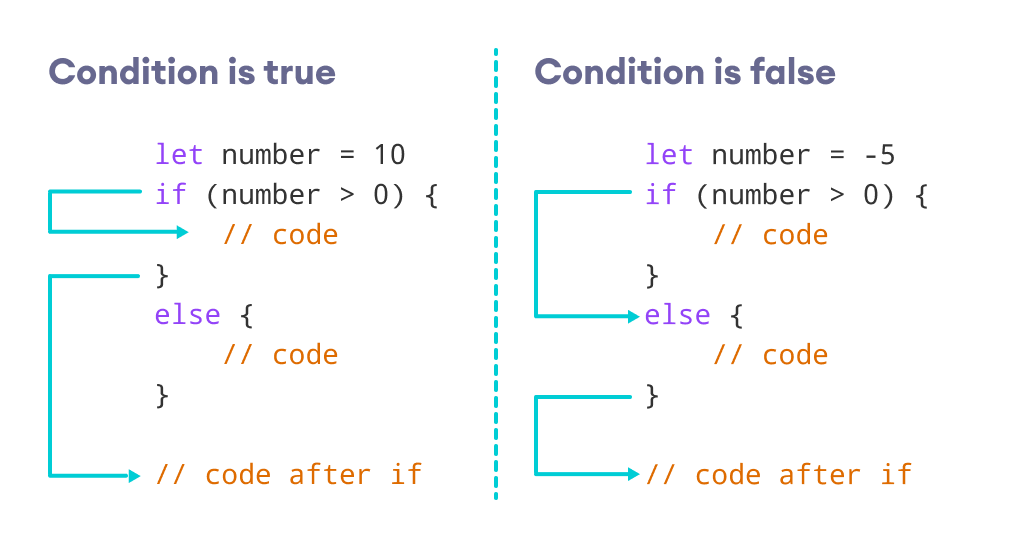
This week, we will explore "conditionals". We will take a look at how we can make decisions while our code is running through the use of if...else statements. During class on Monday, we will work on some coding examples where we practice writing if...else if...else statements.
What's Going On? November 27th through December 1st
Thought for the Week
App Development
This week, we will work with conditionals. We will learn how we can use if...else if...else statements to help us make decisions within our program. Students also have the opportunity to explore "switch" statements as an alternate method to achieve very similar results. Along with this week, students will complete a reading and note assignment, complete a class-lead hackwich, and a conditionals code challenge.AP Computer Science Principles
We will start off this week by wrapping up "Apple Avalanche". In this activity, students work on creating random objects (apples) and placing them around the screen. We are using the "keypress" event in order to direct specific apples to fall from the tree. Once this activity is complete, students will partner up to write a "Buzz Feed - style" character quiz. Students will ask a series of multiple-choice questions, and based on the answers, determine which character they are most like.


.png)