Sunday, June 5, 2016

Final Exam Week

Final Exam Week Schedule

Our final exam is here!  Here are a few reminders about the week.  Below you will see our exam schedule.  Please make sure that you arrive at our exam ON TIME!   If you would like to have additional help, I will be at school every morning at 7:00am.  Our first exam does not begin until 9:30, so that would give you lots of time to check in and work on your final project.  You do not have to arrive at the beginning of the help session and you do not have to stay until the end.  This is an informal help session.  I would be more than happy to answer last minute questions at this time.  If I am not in lab 300, please check room 807 as I might be helping some of my math students.


Final Projects

You will have until the end of the exam period to complete your final project.  If you need more time than the 90 minute exam time permits, please plan on coming in before the first exam.  The computer lab can be open from 7:00-9:30 each morning.


Programming the Web 1

Web 1 students, please remember that you will also be completing WCTC's multiple choice section for your final exam during this period.  This exam will be made up of 20 questions that you have seen throughout the semester.  Check the student hand-out to see a list of all the questions that could be on the exam.  Also remember, students who pass the class with a "C" or higher will receive WCTC credit.
.

Friday, May 27, 2016

What's Going On? May 31st-June 3rd

Our Last Week of Classes!

It's hard to believe, but this is our last week of classes!  We will not have school on Monday due to Memorial Day, so that leaves us with three class periods this week.  Students will have all week and the exam period to work on our final projects.  Final projects are due by the end of the exam period.


Web 1

In addition to the final web project, students will also have a multiple choice portion as a portion of the exam.  These 20 questions will be made up of the review questions that we have been answering each week.  This portion of the exam will not be open-note or open internet.  Students will need to answer these questions from memory.  I would be happy to answer any and all questions related to the multiple-choice portion of the exam leading up to our 9:30am exam time on Wednesday June 8th.


Exam Schedule

Please check out the exam schedule.  You'll notice that the first exam does not begin until 9:30am each day.  You can use the time before the first exam to ask questions or work on your final project.  I will be at school beginning at 7:00am each day, so I would be happy to work with you at this time.  Do NOT be late to your exam period!


Friday, May 20, 2016

What's Going On? May 23-27th

Celebration Day!

Monday is North's annual celebration day!  Students will be attending celebration day with their class for one hour during the day.  Other students (over 400!) have signed up to be a part of North's first service learning day and will be volunteering in the community.  Please take a look at the schedule below to see what's going on.


Final Exam Schedule

The final exam schedule has been published.  Please be sure to check it out.  Students are required to attend their exam periods and may not leave class early.


Fundamentals of Programming

This week students will continue to work on their final app projects.  Students must complete the app and answer the review questions.  Both portions of this final project will be entered into Infinite Campus as a summative assessment.  All final projects must be posted to our Google portfolio sites by the day of our final exam (Tuesday, June 7th at 9:30am).


Programming the Web 1

This week students will continue to work on their final website projects.  Students must complete this project in order to receive a grade for the course. All final projects must be posted to Google Drive and have a link submitted by the end of our final exam period (Wednesday, June 8th at 9:30am).


Programming the Web 2

This week students will continue to work on their final animation projects.  Students are to create a 30-second animated music video. All final projects must be posted to Google Drive by the end of our final exam period (Wednesday, June 8th at 9:30am).

Friday, May 13, 2016

Fundamentals of Programming

The year is starting to wrap up.  Students need to work to make sure that all apps assigned for the semester have been completed and answers to the reflection questions have been posted on the Google Site portfolio.  Once we have wrapped up the regular course work, students can begin work on the final project.  For this summative final project students will create and design an app of their choosing that highlights what we have learned over the course of the semester.  Students should submit their own idea for an app and get approval before beginning work.  Students who have trouble coming up with an original idea for an app can choose from a list of suggestions: GPA calculator, Rock, Paper, Scissors, or a Magic 8 Ball.


Programming the Web 1

Students should be putting their finishing touches on our lesson 13 web assignment.  Once this is wcomplete, students will learn how to post their pages online using a free hosting site.  After the regular course work has been completed, students will begin work on their final project.  For this assignment, students must create a website made up of at least four web pages.  While designing and creating this site, students should incorporate the HTML structure and CSS design techniques that we have practiced throughout the course.  Students can choose to create their own page from scratch, create an online portfolio to use for college admission or job applications, or can look for another site that has already been implemented and improve upon its design.  Students will need to have their final project topics approved this week.


Programming the Web 2

This week students will continue their work with Adobe Flash Animations.  Students will work on the handwriting animation as well as the Rocket Action Script tutorial.

Friday, May 6, 2016

What's Going On? May 9th-13th

Image result for mit app inventor stockFundamentals of Programming

This week students will work on wrapping up their Presidential Quiz Apps and then will get started on the Stock Market App.  In this app, students will be introduced to importing web data into the app in real time.  Students will create an app that allows the web user to type in a company's stock market symbol and the app will display the current stock price.


Programming the Web 1

This week we will start our last unit for the semester.  We have been creating web pages all semester, but we haven't talked about how to make them visible online.  Students will create their own free hosting accounts using 5gbfree.com in order to host their pages.  Additionally, this week students will work on our lesson 13 review assignment.  For this assignment, we will add three additional pages to our lesson 12 assignment.  By completing lesson 12, students have already created the general outline for all of the supplemental pages for lesson 13.  We will also need to add links in order to connect all of the pages.  Students will also have our lesson 13 review questions at the end of the week.


Programming the Web 2

This week students will continue to work on their "jumping letters" animation.  When this is complete, students will work on the "North Animation" which continues to use several layers to keep track of the items in the animation.  We will also introduce polygon shapes and rotations.  We will finish the week by working on the "handwriting" animation where students learn how to create text and break it apart.

Friday, April 29, 2016

What's Going On? May 2nd-6th

Fundamentals of Programming

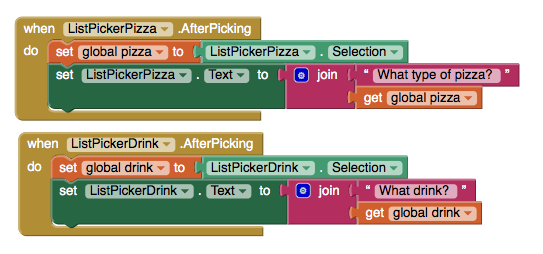
Last week we finished up our discussions of permanent data storage (using a TinyDB) and working with lists.  This week, students will create a "Presidential Quiz" app.  During this app, students will continue their work with lists and will also be introduced to the "List Picker" feature in MIT App Inventor.  Basically, we will use the list picker function to create a multiple choice style quiz.  Students will be considered "on pace" for the class if the app and portfolio page are completed by the end of the week.


Programming the Web 1

This week students will have the opportunity to work on our "Clear Reflections Homepage".  For this assignment, students will appropriately format images for web design using PhotoShop.  Students will also implement a layout from scratch based on a photo of the final site.  This assignment is excellent practice to prepare us for the final website project where students will design and implement their own layouts.

Students are considered "on pace" for the class if the Clear Reflections Homepage, the lesson 12 reading guide and lesson 12 review questions are complete by the end of the week.

Programming the Web 2

This week students will begin their study of animation.  In order to learn some key principles of animation such as keyframes and "tweening", we will use Adobe Flash Animation.  This week students will design a bouncing ball animation and a jumping letter animation.  This will allow students to gain an understanding of how to create keyframes, how to create and implement layers in an animation, as well as adding a simple "stop" action script.

Friday, April 22, 2016

What's Going On? April 26-29th

ACT Aspire Testing for Freshmen

This week on Tuesday and Wednesday freshmen will participate in ACT Aspire testing.  (Please note that there is NOT SCHOOL on Monday.)  Students who are in class on these days will use this time to catch up on work and to review concepts to make sure that we are ready to finish the year on a positive note!


Fundamentals of Programming

This week students will complete a formative assessment to gauge our current level of understanding of lists and permanent data storage.  We will make sure that students understand the concept of a list (think arrays) and how to work through all of the elements on the list (think loops).  We will also work with permanent data storage through the use of a "TinyDB" which would allow for data to be stored after an app has been closed.


Programming the Web 1

Students will use Wednesday's and Thursday's classes to complete our lesson 11 web assignments and  to catch up on old assignments.  Students who are caught up can use the class period to dive into our lesson on editing images for web use or to complete our weekly reading guide.

Programming the Web 2

Students will finish up their JavaScript assignment on "St. Mary's".  Once this is complete, we will move into our animation unit.  Students will explore the use of a time line and animation.