Friday, May 29, 2020

What's Going On? June 1st through June 5th

AP Computer Science Principles

The purpose of this week's assignment is to explore a little more about careers related to computer science and IT.  To begin, read Activity 2.2.1 from Project Lead the Way.  Once you have read through the document, choose a career path related to CS / IT to investigate.  Over the course of our final week in school, research the career and record your findings in the provided guiding document on Google Classroom.  This assignment, and any other work you would like to have considered as part of your semester grade, will be due by Thursday, June 4th.  I will be calculating your final semester grade on Friday, June 5th.


Programming the Web 1


The goal for our last week is to complete our final web project.  Students can choose their own topic for their final web site.  It must include a homepage (index.html) as well as three subpages.  Students should highlight their skills learned over the course of the year when designing the pages.  In order to properly format the pages, students must include at least three "div" tags".  A complete list of the web site requirements can be found on Blackboard.  Additionally, students have a 20 multiple-choice question summative.  The questions are selected from the multiple-choice questions we have seen over the course of the semester.  All of the questions, as well as some optional review materials, can be found on Blackboard in the "Final Project" folder.  The final project, the multiple-choice assessment, and any other work you would like to have considered as part of your semester grade, will be due by Thursday, June 4th.  I will be calculating your final semester grade on Friday, June 5th.


Programming the Web 2


The goal of this final assignment is to use JavaScript and CSS to present a 10-question quiz to a user.  Once the quiz is submitted, the results should be displayed.  The web page must include the following:
  • At least total 10 questions
  • At least 5 questions should be multiple-choice
  • At least one button to submit the quiz for grading
  • The quiz should be graded and results displayed
    • For example, you scored 8 out of 10
  • Some sort of notation should be made to reflect the questions that were answered incorrectly
    • For example, mark the incorrect answers in red
  • A photo should be displayed to reflect the results of the quiz
    • For example, a happy face for a passing grade and a sad face for a failing grade
  • JavaScript is used to grade the quiz
  • JavaScript implements at least two functions
  • Proper HTML coding and formatting
  • Page has been formatting to look nice using CSS
This assignment, and any other work you would like to have considered as part of your semester grade, will be due by Thursday, June 4th.  I will be calculating your final semester grade on Friday, June 5th.


App Development 2

This week, students will finish up their proposal for an awesome app they would like to create. Within this project, students will think about what the app is supposed to do, discover the frameworks that would allow the app's creation, and design some logos and layouts that could be used in the app's design. The final "Pitch" documentation and video will be due by June 3rd and should be shared with me via email. I would also encourage students to enter the official contest in order to be eligible to earn fabulous prizes! Our final deadline for any other work you would like to have considered as part of your semester grade, will be due by Thursday, June 4th.  I will be calculating your final semester grade on Friday, June 5th.

Monday, May 25, 2020

What's Going On? May 26th through May 29th


AP Computer Science Principles

URGENT: THE LAST DAY TO SUBMIT THE PERFORMANCE TASKS FOR THE AP EXAM IS TUESDAY MAY 26, 2020 AT 10:59PM. THE ENTIRE AP SCORE FOR APCSP WILL BE DETERMINED BY THE TWO PERFORMANCE TASKS (CREATE AND EXPLORE).

For this week, students will have their choice in assignments. Students can check out the options listed within Google Classroom and choose an assignment. One assignment choice includes reading a chapter from the book "Blown to Bits" to learn about the history of computing and thinking about how it connects to the global world. Another assignment involves exploring the circuitry working behind the scenes in the computer. Students should declare their choice via the question in Google classroom by the end of the day on Tuesday.


Programming the Web 1

The beginning part of the week will be devoted to wrapping up  Lesson 14.  Students will have one web site to create (building on lesson 13), and ten multiple-choice questions to complete.  Students are considered "on pace" for the class if lesson 14 is completed by Thursday, May 29th.

Looking Ahead: The final project for this class is a website that contains at least 4 web pages (the home page and three supporting pages).  For this project, students can choose their own subject matter and show off all they have learned in the class.  We will also have a 20 multiple-choice question summative assessment.  The questions included in this assessment have previously appeared on the other summatives we have seen throughout the semester.


Web 2


This week, students will start exploring some options for how to make a quiz using JavaScript.  During this week, students will view the three posted video tutorials.  During our last week of the school year, students will have a summative project to create their own quiz using JavaScript.


App Dev 2

Now that we have completed our chart related to some of the Swift frameworks and libraries and analyzed an existing app, it is time to pitch our own app! Our curriculum partners, Mobile Makers, will be hosting a different type of contest. Instead of creating an app, students will "Pitch" an app. This week, students will start to think about an awesome app they would like to create. Within this project, students will think about what the app is supposed to do, discover the frameworks that would allow the app's creation, and design some logos and layouts that could be used in the app's design. Students will complete a check-in form at the end of the week to share the progress. The final "Pitch" documentation and video will be due by June 3rd.


Friday, May 15, 2020

What's Going On? May 18th through May 21st


AP Computer Science Principles

URGENT: THE LAST DAY TO SUBMIT THE PERFORMANCE TASKS FOR THE AP EXAM IS TUESDAY MAY 26, 2020 AT 10:59PM. THE ENTIRE AP SCORE FOR APCSP WILL BE DETERMINED BY THE TWO PERFORMANCE TASKS (CREATE AND EXPLORE).

For this week, we will be focusing on "Data". Monday's assignment is to view the TED talk video on "Big Data is Better Data" by Kenneth Cukier and answer some reflection questions related to Big Data. For the rest of the week, students will be working with the Gap Minder website to analyze data trends. Students will investigate the website in order to make comparisons and analyze Big Data.


Programming the Web 1

The beginning part of the week will be devoted to wrapping up Lesson 13 on formatting images for
the Web. At the end of the week, students will begin work on Lesson 14.  In this lesson, we will learn a little bit about hosting a website live online.  Along with this lesson, students will need to view the video lesson.  Additionally, students will have one web site to create (building on lesson 13), and ten multiple-choice questions to complete.  Students are considered "on pace" for the class if lesson 13 is completed by Wednesday, May 20th and lesson 14 is completed by Thursdsay, May 29th.

Looking Ahead: The final project for this class is a website that contains at least 4 web pages (the home page and three supporting pages).  For this project, students can choose their own subject matter and show off all they have learned in the class.  We will also have a 20 multiple-choice question summative assessment.  The questions included in this assessment have previously appeared on the other summatives we have seen throughout the semester.


Web 2


This week, students will be working on creating their own dice-
based game.  Through the tutorials from last week, students should have a functioning beginning to their program that shows how to roll two dice and make decisions based on the outcome of the game.  Students have some choice in their game, but must adhere to the requirements listed on Blackboard.


App Dev 2

Now that we have completed our chart related to some of the Swift frameworks and libraries, now it is time to analyze an app. This week, students will choose a school-appropriate app from their iPad or iPhone and analyze it. Students will need to identify the intended audience, the purpose of the app, and identify the components used to create the app.


Looking Ahead: Schedule Changes

Friday, May 22nd is a "work day" for teachers and an "off day" for students.  Monday, May 25th is Memorial Day, so we will not have school.  This means that the remainder of that week (Tuesday through Friday), we will have school.  We will not have our "catch up" day on Friday, instead, we will have our regularly scheduled classes.

Please Note: Our last day of school will be Friday, June 5th.

Friday, May 8, 2020

What's Going On? May 11th through May 15th

Web 1

The beginning part of the week will be devoted to wrapping up Lesson 12 on more CSS techniques
and responsive web design. At the end of the week, students will begin work on Lesson 13.  In this lesson, we will focus on how to format images for the web.  Along with this lesson, students will need to view the video lesson, read chapters 21 and 22 in our textbook, and complete the accompanying reading guide.  Additionally, students will have one web site to create, and ten multiple-choice questions to complete.  Students are considered "on pace" for the class if lesson 12 is completed by Wednesday, May 13th and lesson 13 is completed by Wednesday, May 20th.


Web 2


This week, students will be working on a multiple-part tutorial on creating a dice-based game.  Students will learn how to simulate rolling and drawing one die.  Once this is mastered, students will modify the code to draw two dice.  Students will also be introduced to how to evaluate, the value of the dice, how to "take turns" rolling the dice, and a few other techniques.  Students will then be tasked with creating a dice-based game of their own choosing.


App Dev 2

Even though we are not currently able to create Swift programs with XCode, we can still think about code.  You will find a Google Doc on our Blackboard site that includes a chart.  Using this document as a guide, take a look at some of the different things that you can do within a Swift app and discover how you would be able to make this happen.  Use Google to investigate the topics listed in the first column.  Based on your research, record what frameworks or libraries would be necessary to achieve the given task.  Also, list the permissions and privacy issues that will have to be addressed in order to write the code for the given topic.  Finally, paste in a link where you can learn about the framework/library.  When you have completed the given list, add two more elements to investigate on your own. The goal is to complete this investigation assignment by the end of the week.


AP Computer Science Principles

This week, we will continue to work with Python with the Tkinter GUI platform.  Students will be
able to choose their own project to show off some of the skills learned within Tkinter.  For this project, students must include the following items:

  • At least 3 different Tkinter elements (Label, Slider, Entry)
  • User interaction/input that drives the outcome
  • Event (Click on a window, tap a button, etc)
  • At least one custom function
  • At least one image
  • Color and font changes
  • Well-organized and styled
Students will have the week to work on the self-directed TKinter project.


***REMINDER: ALL APCSP PERFORMANCE TASKS ARE DUE BY TUESDAY MAY 26, 2020 AT 10:59PM.  THE ENTIRE AP SCORE WILL BE DETERMINED BY THIS WORK. LATE WORK WILL NOT BE ACCEPTED!***

Friday, May 1, 2020

What's Going On? May 4th through May 9th

Web 1

The beginning part of the week will be devoted to wrapping up Lesson 11 on Page Layouts using

CSS.  At the end of the week, students will begin work on Lesson 12.  In this lesson, we will focus on Responsive Web Design and more CSS techniques.  Along with this lesson, students will need to view the video lesson, read chapters 17 and 19 in our textbook, and complete the accompanying reading guide.  Additionally, students will have one web site to create, and ten multiple-choice questions to complete.  Students are considered "on pace" for the class if lesson 11 is completed by Wednesday, May 6th and lesson 12 is completed by Wednesday, May 13th.


Web 2

The beginning part of the week will be devoted to finishing up the PacMan animation.  We will spend the rest of the week working on creating a solar system animation.  Students will watch my video tutorial and then recreate the animation.


App Dev 2

Now that students have had a chance to analyze the Blink Challenge app, it is time to write our own
rules for the virus spread simulation software.  Students will have the week to work on this assignment.  When finished, create a short video within the Blink Challenge app to show off your work and submit it.


AP Computer Science Principles

This week, we will continue to work with Python with the Tkinter GUI platform.  Students will have two mini-assignments to work on this week to continue our investigation into Tkinter.  The following week, students will have the opportunity to design and implement their own Tkinter project.


***REMINDER: ALL APCSP PERFORMANCE TASKS ARE DUE BY TUESDAY MAY 26, 2020 AT 10:59PM.  THE ENTIRE AP SCORE WILL BE DETERMINED BY THIS WORK. LATE WORK WILL NOT BE ACCEPTED!***

Friday, April 24, 2020

What's Going On? April 27 through May 1, 2020

New Virtual Learning Schedule

As you probably heard, starting on Monday we will follow a new schedule.  We will no longer hold a "Monday"-style schedule during a typical week.  Instead, Monday will be a Tuesday-style schedule, Tuesday will be a Wednesday-style schedule, Wednesday will be a Thursday-style schedule, and Thursday will be a Friday-style schedule.  Friday will be a day to get caught up on work for both students and teachers. 


Changes to Attendance

There will also be changes to attendance that come with this new schedule.  The good news is that you will no longer have to fill out a daily attendance form.  Instead, attendance will be taken based on work completion. If I see evidence of progress, you will be marked as "present" for the day.  I have usually been taking attendance at around 3pm each day.  This means that moving forward, I will check for work completion around this time.  If an assignment been completed for the day, I will mark you "present".  If not, you will be marked absent.  For assignments that span a couple of days, I will mark you "present" for all class days if the work is turned in at the end or "absent" if it is not.  Please note: THIS DOES NOT MEAN THAT HOMEWORK MUST BE COMPLETE BY 3PM.  I understand that different people have very different schedules at this time.  If you complete the homework later in the day, I can alter your attendance the next day.  In fact, as long as the work is completed by Friday, I will adjust your attendance for the day earlier in the week.


Programming the Web 1

We will begin this week by working within Lesson 10 on Flexbox.  Students should work within the

Flexbox Froggy website to learn about Flexbox and have the lesson 10A assignment completed.  At the end of the week, students should begin work on Lesson 11 where we will focus on more page layout controls, including negative margins.


Programming the Web 2

This week, we will continue to work with HTML5 Canvas.  We will begin the week by working with a bouncing ball tutorial.  We will end the week by starting a Pacman animation tutorial.


App Dev 2

This week, we will step back from the repl.it platform and again work within the Swift Playgrounds
app.  To begin the week, students will need to download the "Blink Challenge" from Playgrounds and experiment with the code.  We will then use our Swift software to model the spread of viruses, specifically the Corona Virus.  We saw in the Code Break talk last week about how programmers can use software to program simulations.  This week, we will explore some of those simulations.


AP Computer Science Principles

This week, students will continue working in the repl.it environment with Tkinter to create Python GUI programs.  Students will start off the week by working on a drawing assignment.  We will then investigate more features of Tkinter.

Friday, April 17, 2020

What's Going On? April 20th through April 24th

Web 1

For the first two days of the week, students will be working on wrapping up unit 9 on "floating and
positioning".  Students should have viewed our lesson 9 video, starting the reading and reading guide, and started our web assignments 9A and 9B last week.  The goal for the beginning of the week is to wrap up these assignments and complete the lesson 9 review questions on Blackboard.  The last two class periods of the week will be devoted to starting lesson 10.  I will provide a lesson video and students will also have a "flexbox froggy" website to work through to get introduced to the concept of "Flexbox".  When this is completed, students will start their work on re-creating a HTML Card website.  Students can either follow along with my step-by-step video or follow the written tutorial instructions. 


Web 2

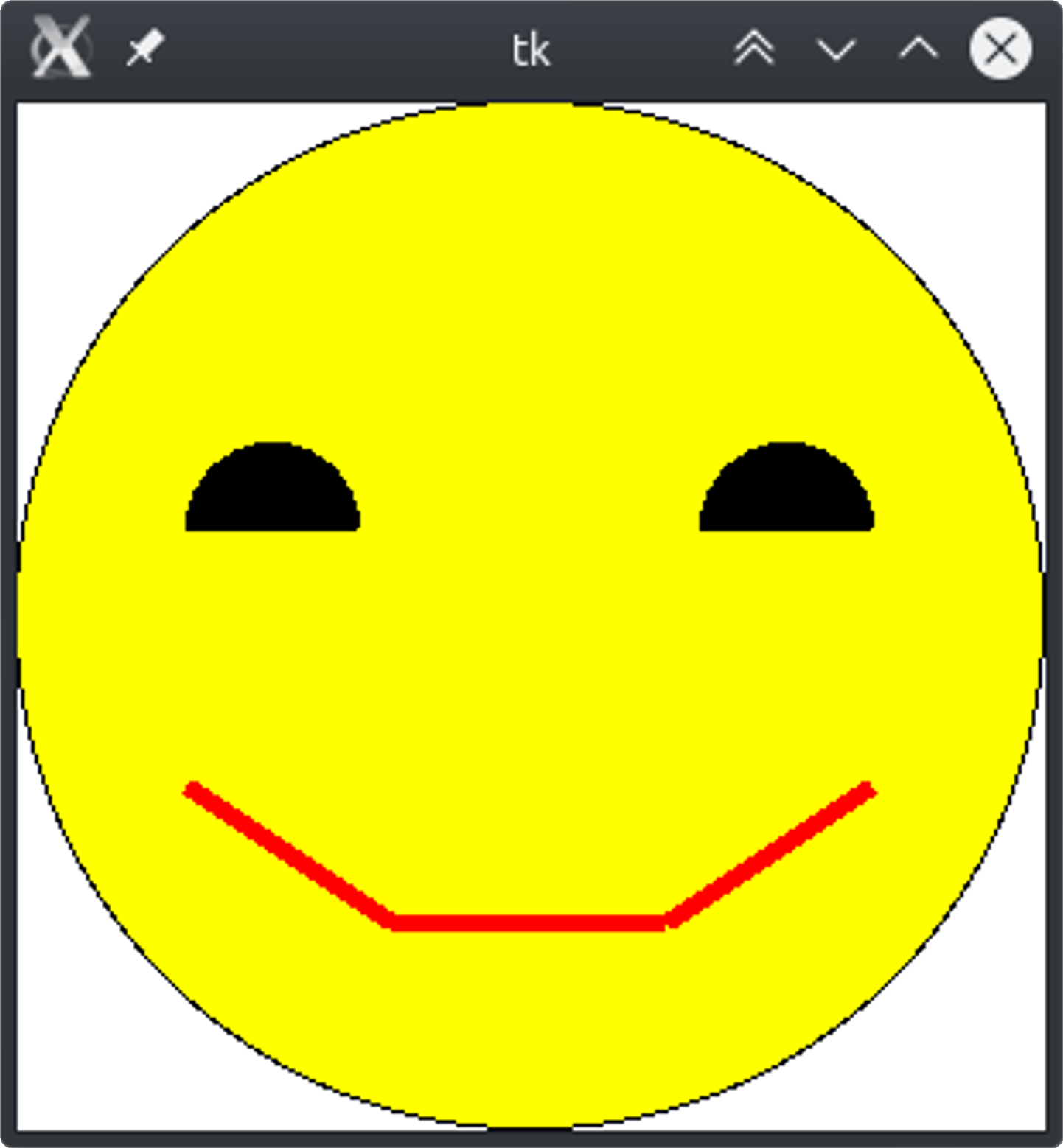
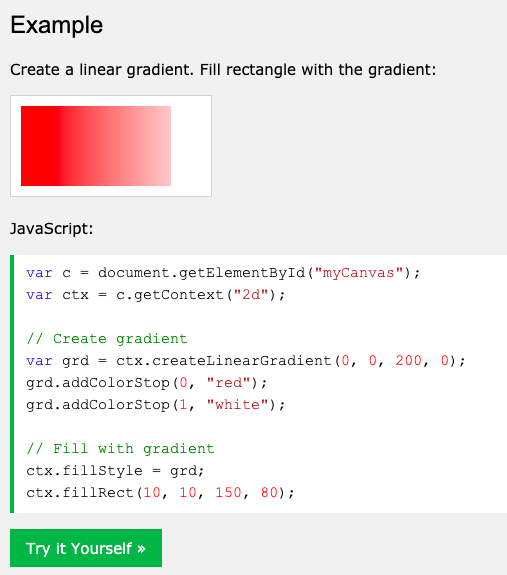
Monday and Tuesday's class of this week will be devoted to finishing up our HTML5 Canvas "Face" assignment and catching up on any old assignments that still need to be submitted.  At the end of the week, students will have a video lesson on a few more elements in HTML5 Canvas, including gradients and adding images.  Students will then be tasked with checking out and playing with other Canvas references.

On Thursday, students will watch a class presented by code.org.  This week's "Code Break" episode will feature Bill Gates.  The live class is scheduled for 10am on Wednesday, so if students would like to participate in the live class, they can complete this assignment a day early for the class.  Students who are not able to log in at this time can watch the recorded version of the class for Thursday's assignment.


AP Computer Science Principles

To start off this week, students will have a short assignment to show off the use of several of the GUI
items available in Tkinter such as adding labels, images, and entry boxes.  Once this is complete, students will have a new video lesson to learn about some additional features available within the Tkinter platform.  On Wednesday, students are invited to participate in a class through code.org.  This week's "Code Break" episode will feature Bill Gates.  The live class is scheduled for 10am.  Students who are not able to log in at this time will watch the recorded version of the class.


App Dev 2

This week, students will focus on Swift Classes.  Monday's assignment is to view the video lesson on
how to write a class.  The assignment for the remainder of the week will be to write and use a Bank Account class.  On Wednesday, students are invited to participate in a class through code.org.  This week's "Code Break" episode will feature Bill Gates.  The live class is scheduled for 10am.  Students who are not able to log in at this time will watch the recorded version of the class as our Wednesday assignment.